gathering urls for bilibili stream replays [part 1 - designing a macro]
introduction
i like watching streams on Bilibili during free time. watching content on the internet has mainly been on language immersion and entertainment on the platform
a lot of channels i follow have archived streams which are found from a video collection ( 直播回放 ), which is dedicated to stream replays ( 直播回放 ). navigating to this series of replays allows users to browse paginated videos and click on links to view the stream replay.
for this longpost, i am looking to aggregate stream urls so that i can compile them in a collection and be able to randomly play one when running a script
this will be done with only a web-browser with javascript and a system with python installed. (1) a macro is applied by the user using a few keystrokes to get URLs on a page and download them to a file and then navigate to the next page of content to apply the macro again; (2) then a script is used to cleanup and combine the data in the files; (3) finally, a script will play a random stream from the aggregate datafile
let's examine the macro from the first step:
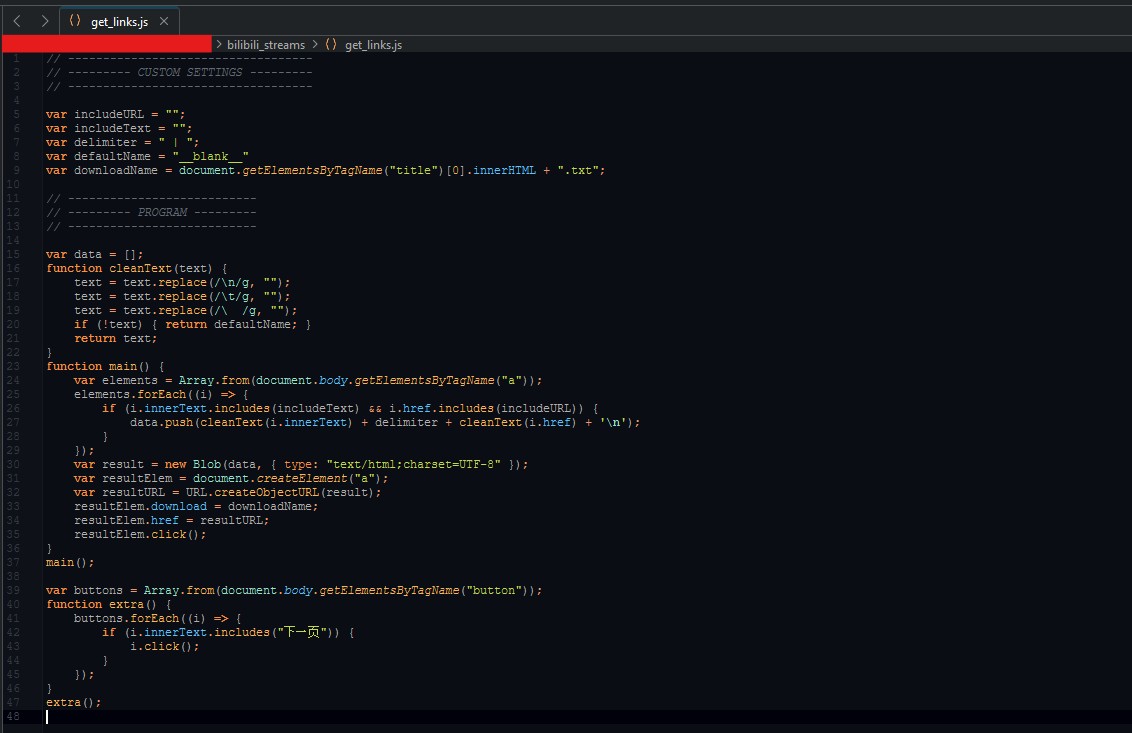
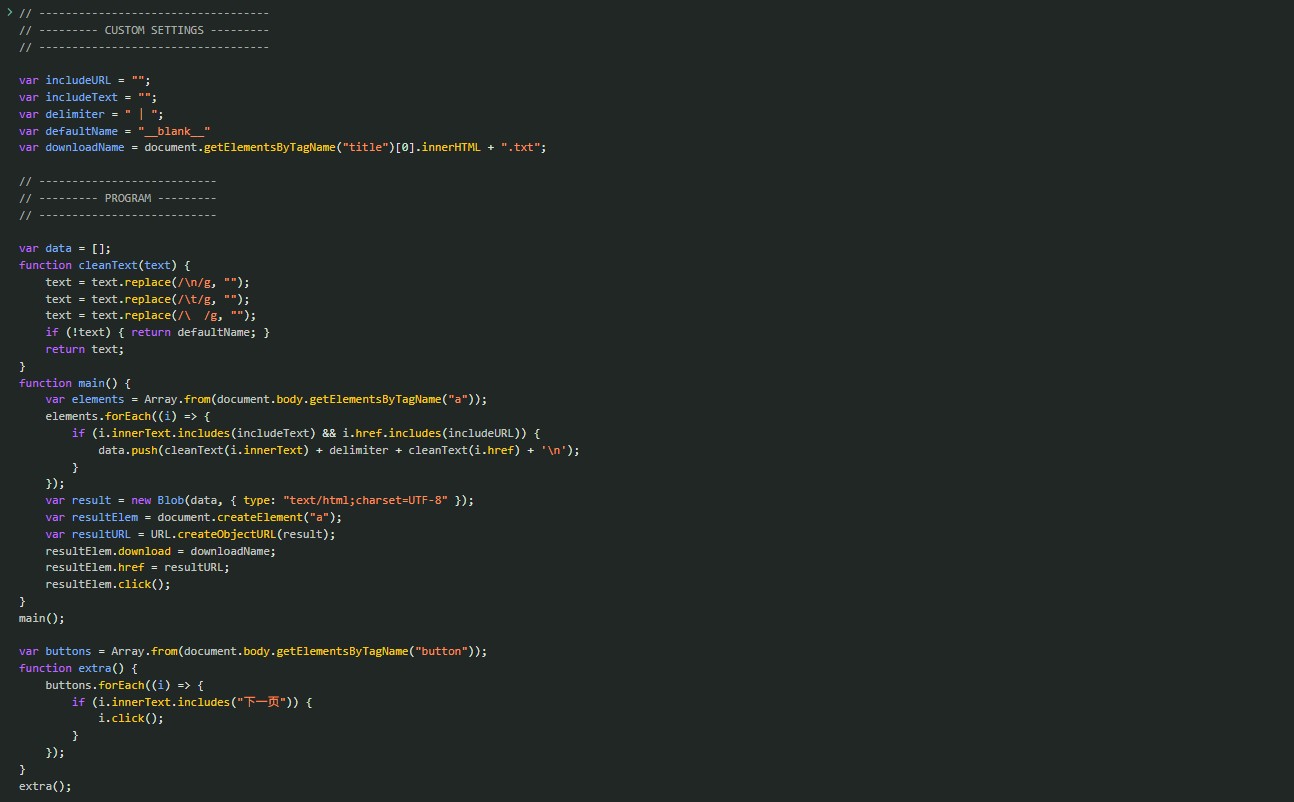
the macro
URL content on a webpage is typically located in anchor tags. this contains the URL and the display text for the URL (example: a display text of "click on my profile" would direct to a user's profile).
the macro gathers the content of the anchor tags on the webpage; this is pretty straightforward as it is just to query the anchor tag elements on the DOM. i apply some regex to filter out styling such as newline chars and extra spacing for cleaner data. any data that is empty (e.g. a link that doesn't have display text), will be given a default value which i named "__blank__"
now that we have the data in the browser console, let's export it to our computer. we can create a Blob object containing the data and then download the blob by simulating clicking a download link referencing the blob object
with the URL data downloaded in a text file, we can now move to the next page of streams; this can be accomplished by clicking the next page button ( 下一页 ). this can be done in the macro by simulating clicking on the button after identifying it on the DOM.
let's run this on the browser; i navigate to a streams page and then copy-paste the code to the web console
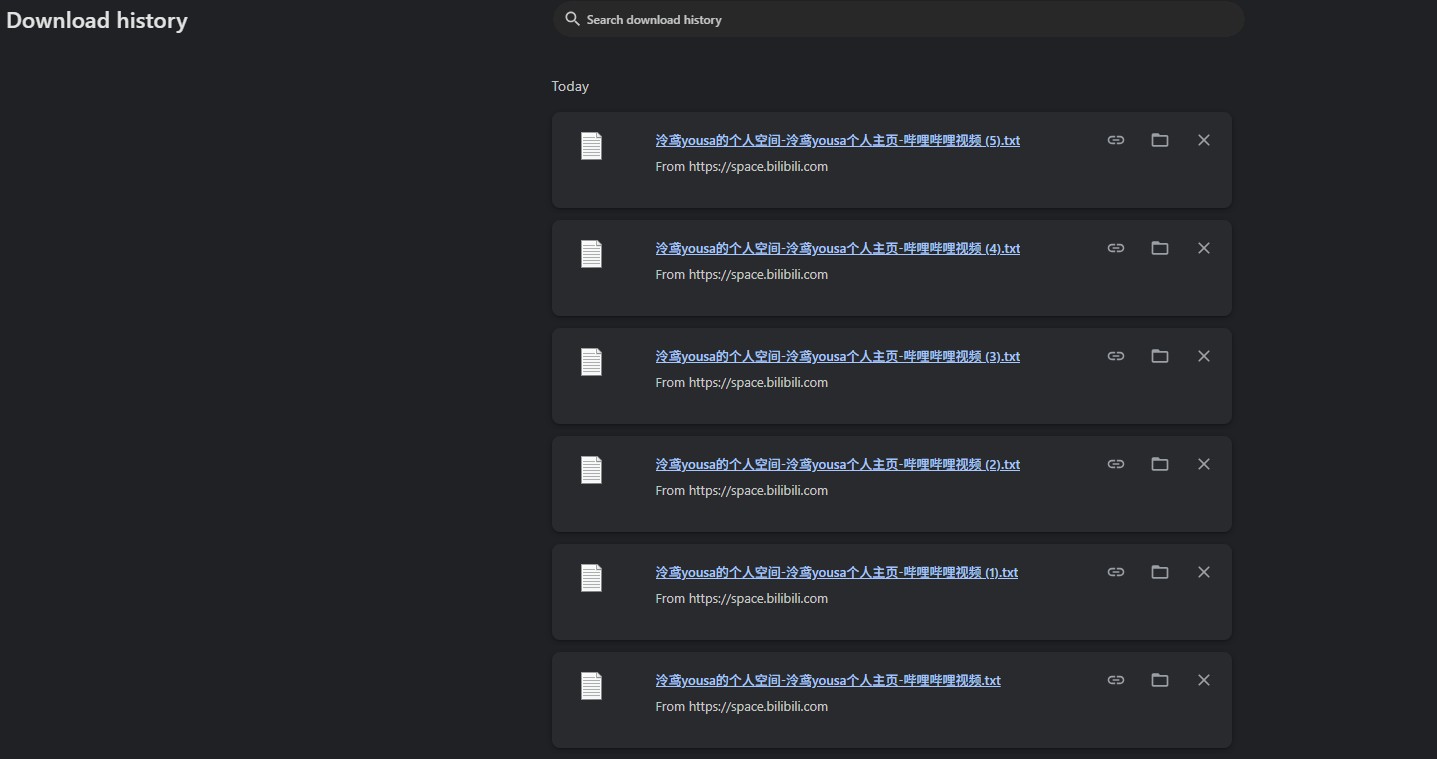
after running the code several times across pages i got a collection of data files.
with this, i can now get URL data on a page with just 2 keystrokes (the up arrow key to get the last ran command and then the enter key to run the command) and just repeat as many times needed for the number of pages i want to get streams for
 click here for Part 2
click here for a code sample of the macro